
Theory Test Express download

This is a cut down version of the Theory Test Complete for instant download (excludes Hazard Perception). The size of the PC download file is 280MB. Please note it is NOT suitable for Apple Mac computers.
The product excludes the Hazard Perception section. If you want Hazard Perception as well you can order the Hazard Perception Express PC download product for instant access or Hazard Perception Complete DVD-rom PC software product by post.
Theory Test Express is easily the most comprehensive PC software of its kind. Includes all the Official DVSA questions, answers, explanations and case studies plus lots more.
No other product offers 4 different ways to learn the answers to the Official DVSA Theory Test questions thus making revision quick and easy.
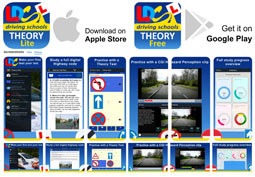
No other product allows you to learn on the move with a Free Android and iOS Theory Test App where you can pass results backwards and forwards to your PC product.

Professional voice-over is used extensively throughout the product for help, information, learning notes, tutorials, animations, video, questions, answers, explanations and hint advice.
The Product is made up of 3 distinct programs:
1. Theory Test program

- Interactive tutorial that tells you all about the Theory Test with professional voice-over.
- Comprehensive help on how to use the program at each stage.
Learning module

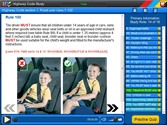
- Three unique learning quiz programmes that enable you to cover all the Official questions with ease.
- One designed to work with the standard DVSA theory categories
- One to work with your study of the Highway Code or
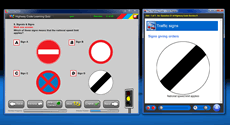
- No other product gives you such learning flexibility or ease of use. Also includes one learning quiz programme specifically for the motorcyclist theory test.
- Pre-study illustrated learning notes for each of the above learning quiz programmes with relevant extracts from the new Highway Code, our own unique supplementary notes (covers the theory needed that is not inthe Highway Code) and the Motorcycle Riders the Essential Skills publication.
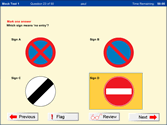
any difficult questions.- Unique traffic light progress monitoring detailing which of the Official questions have been answered correctly, incorrectly or not at all. The only product to make it easy to know when all the Official questions have been learnt or what is outstanding.
- Each learning quiz has the option to exclude questions already correctly answered thus enabling you to focus on those questions not attempted or answered incorrectly.
- Case study learning programme containing 14 case studies, one for each of the DVSA categories.
- Learn on the Move to allow you to download questions and answers as MP3 files or Podcasts or sync direct with LDCs Free Android and iOS Theory Test Apps.The only product to allow you to undertake Theory Tests either on your PC or your mobile App and synchronise your results.


- 14 properly balanced pre-set simulated Theory Tests based on our extensive experience (as one of the largest national driving schools in the UK) of the most commonly occurring test questions all under realistic exam conditions.
- New Fast Pass learning programme using just the the specially formulated 14 mock tests and review feature (below) for those in a real hurry to pass.
- Unlimited randomly generated Theory Test simulations (again properly balanced with the right number of questions from each category) just as on the real test.
- Printable Theory Test quiz eBook (RRP £4.99) in PDF format to allow you to test yourself away from the computer.
Review final revision module
- Comprehensive test review with weaknesses automatically identified and feed back to the learning module using LDC unique traffic light question monitoring facility for subsequent revision before attempting another simulated test.
Reading difficulties?
- Over 10 hours of professional voice-over presentation is provided throughout this product. Perfect for anyone with reading difficulties or who simply finds reading the computer screen tiring.
2. Highway Code plus program
- Talking Highway Code: the latest Official Highway Code for you to listen to, view, search and/or print.
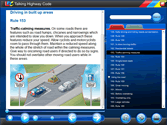
- Easy to listen to professional voice-over presentation.
- Free Highway Code eBook (RRP £1.95) in PDF format.
- Learn on the Move - Download information from the Highway Code or Supplementry notes for revision on your MP3 player, mobile phone or iPod.

3. Signs, road markings and signals program
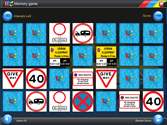
- Theory Test signs quiz game.
- Signs memory game.
- Signs quick fire game.

An email will be sent to you containing a download link and a serial number once the payment has been received. This download link will remain available for 6 months with a maximum of 10 downloads allowed.
Crown copyright material reproduced under licence from the Driver and Vehicle Standards Agency, which does not accept any responsibility for the accuracy of the reproduction.
Be the first to review this product
Professional voice-over is used extensively throughout the product for help, information, learning notes, tutorials, animations, video, questions, answers and hint advice and has been stated here to save repetition of this fact in the features and descriptions below.

1. Theory Test
The very latest OFFICIAL DVSA revision questions for cars drivers and motorcyclists used in 3 unique learning study programmes with highly realistic mock test simulations. Includes new case studies and the Abridged Theory Test. Nothing can offer you the same learning flexibility or ease of use with comprehensive pre-study tutorials and help hint pop up.

2. Highway Code Plus
Interactive talking version of the OFFICIAL Highway Code (new version), LDCs supplementary training notes and extracts from Motorcycle Rider essential skills with view, search and print capabilities. Plus an eBook of LDCs version of the Highway Code book valued at £1.95.

Interactive tutorials about the UK sign system plus 3 games to make learning your traffic signs fun. Learn how our signs, signals and road markings came about then test yourself with the theory, quick fire and memory game.
Minimum PC specification
The minimum PC specification recommended to run the above software is as follows:
Operating System: Windows XP or newer.
CPU: Pentium II 800.
Hard Drive Space: Minimum - 333mb
Memory: 128mb.
Graphics: 800 x 600 x 32 bit colour.
Audio: 16bit Sound card.
Although we are confident that the majority of Computers that satisfy this minimum specification will successfully run the program we can not guarantee this as other factors can also effect compatibility.